Text messaging has changed a lot over the years. We started with simple SMS messages that could only send plain text.
Then came MMS, which allowed people to share photos and videos. Today, a newer messaging technology is making conversations smarter, faster, and more interactive.
If you’ve ever wondered about the RCS meaning in text, you’re in the right place.
Many Android users notice the letters RCS inside their messaging app and ask what they mean. Others see terms like RCS Chat, RCS Message, or RCS Enabled and feel confused.
The good news is that understanding RCS meaning in text is much easier than it sounds.
Think of RCS as the modern version of traditional texting. Instead of sending only basic messages, it lets you enjoy features that feel similar to popular messaging apps.
You can see when someone is typing, know when your message has been delivered or read, share high-quality media, and even chat in large groups with ease.
🌍 What Does RCS Mean in Text?
RCS stands for Rich Communication Services.
In texting, RCS is a modern messaging standard that improves traditional SMS and MMS. It adds smart features that make texting more interactive and enjoyable.
Simple Definition 📖
RCS means Rich Communication Services, a next-generation messaging technology that lets users send richer, smarter, and more secure text messages than standard SMS.
Unlike regular text messages, RCS supports:
- 💬 Typing indicators
- ✅ Read receipts
- 📷 High-quality photo sharing
- 🎥 Better video sharing
- 😀 Emoji reactions
- 👥 Advanced group chats
- 📍 Location sharing
- 📎 Large file transfers
Because of these features, many people describe RCS as SMS with superpowers.
A Quick Example
Without RCS (SMS)
Alex: Are you coming?
Sam: Yes.
With RCS
Alex: Are you coming? 😊
Sam is typing…
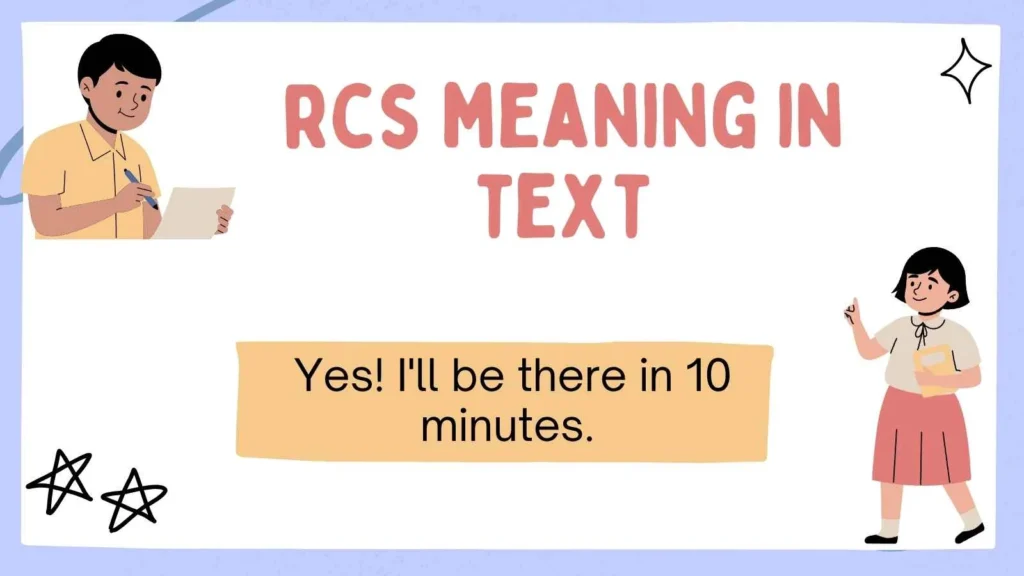
Sam: Yes! I’ll be there in 10 minutes. 🚗
Message Delivered ✅
Read ✅
The second conversation feels smoother because RCS provides live updates and richer communication.
📜 The Origin of RCS
Every modern technology has a story, and RCS is no exception.
For many years, mobile phones relied on SMS, a messaging system introduced decades ago. While SMS was revolutionary at the time, it eventually became outdated. It couldn’t send large media files, show typing indicators, or support interactive conversations.
As smartphones became more powerful, people started using messaging apps instead of traditional texting. These apps offered better features and a more enjoyable experience.
To modernize texting itself, the mobile industry developed Rich Communication Services (RCS).
The goal was simple:
- Make texting smarter.
- Improve media sharing.
- Create better group conversations.
- Add real-time communication features.
- Keep messaging simple without needing a separate app.
Today, many Android devices support RCS directly through their default messaging application.
Why Was RCS Created?
The creators wanted to solve several problems with SMS.
Older texting had many limits:
Poor image quality
No typing indicators
No read receipts
Weak group messaging
Small file limits
Limited multimedia support
RCS was designed to remove these restrictions while keeping texting familiar and easy.
💬 What Does RCS Mean During a Conversation?
When someone says they’re sending an RCS message, they’re simply using an upgraded text message instead of a regular SMS.
The conversation looks almost the same, but you’ll notice extra features working in the background.
For example:
Emily: Happy Birthday! 🎉
Delivered ✓
Read ✓
John is typing…
John: Thank you so much! 😊
These small additions make conversations feel more natural.
RCS Does Not Change the Meaning of Your Words
One common misunderstanding is thinking that RCS changes the meaning of text slang.
It doesn’t.
Instead, it changes how messages are delivered.
For example:
| Standard SMS | RCS Chat |
|---|---|
| Plain text | Rich messaging |
| No read receipt | Read receipt |
| No typing indicator | Typing indicator |
| Small images | High-quality images |
| Basic group chat | Enhanced group chat |
So, when someone mentions RCS, they’re talking about the messaging technology—not a slang word or abbreviation used inside a conversation.
✨ Top Features of RCS Messaging
One reason people love RCS is the large number of helpful features it offers.
Here are some of the biggest improvements.
📷 High-Quality Photos
SMS often compresses images until they become blurry.
RCS keeps photos much sharper.
Perfect for:
- Family pictures
- Vacation photos
- School projects
- Work images
🎥 Better Video Sharing
Traditional MMS often reduces video quality.
RCS allows much better video sharing without losing as much detail.
💬 Typing Indicators
Ever wonder whether someone is replying?
With RCS, you can actually see when they’re typing.
Example:
Lisa is typing…
This makes conversations feel more natural.
✅ Read Receipts
You can know when someone has opened your message.
Instead of guessing, you’ll often see:
- Sent
- Delivered
- Read
👥 Better Group Chats
Group conversations become much easier.
You can:
- Add members
- Remove members
- Name groups
- Share files
- Send reactions
Everything feels smoother than older SMS groups.
😀 Emoji Reactions
Instead of sending another message saying:
“😂”
You can simply react directly to a message.
Popular reactions include:
❤️ Love
👍 Like
😂 Laugh
😮 Surprise
👏 Clap
🔥 Fire
📎 Larger File Sharing
Need to send an important document?
RCS supports much larger files compared to SMS.
Examples include:
- PDFs
- Presentations
- Photos
- Videos
- Documents
📍 Location Sharing
Meeting friends?
Instead of typing directions, you can quickly share your location.
This makes planning much easier.
📱 How Does RCS Work?
At first glance, RCS feels just like normal texting.
Behind the scenes, however, it works differently.
Instead of relying only on the traditional mobile text network, RCS usually uses an internet connection.
That means messages are often sent using:
- 📶 Wi-Fi
- 📡 Mobile data
Because of this, RCS supports many modern features that SMS cannot.
Here’s a Simple Process
- You type your message.
- Your phone checks if both users support RCS.
- If yes, the message is sent through RCS.
- If not, it automatically falls back to SMS or MMS.
This automatic switching makes the experience easy for users.
You usually don’t need to think about it.
⚖️ RCS vs SMS: What’s the Difference?
Many people confuse these two messaging systems.
Here’s a simple comparison.
| Feature | SMS | RCS |
|---|---|---|
| Internet Needed | No | Usually Yes |
| Read Receipts | ❌ | ✅ |
| Typing Indicator | ❌ | ✅ |
| Group Chats | Basic | Advanced |
| Photo Quality | Low | High |
| Video Quality | Low | Better |
| Emoji Reactions | ❌ | ✅ |
| File Sharing | Limited | Larger Files |
| Message Length | Limited | Much More Flexible |
| Overall Experience | Basic | Modern |
Which One Is Better?
For most people, RCS offers a much richer messaging experience.
However, SMS still remains useful because it works on almost every mobile phone, even without an internet connection.
That’s why many phones automatically switch between RCS and SMS depending on the situation.
📲 Where Will You See RCS?
Many users first notice RCS inside their messaging app.
You might see labels like:
- RCS Chat
- Chat Features
- RCS Enabled
- Sending via RCS
- Rich Communication Services
These simply tell you that your phone is using the newer messaging standard instead of traditional SMS.
Some conversations may use RCS, while others continue using SMS if the other person doesn’t support RCS.
For example:
👤 Friend A → Uses RCS ✅
Your messages include read receipts, typing indicators, and high-quality media.
👤 Friend B → Doesn’t use RCS ❌
Your phone automatically sends a regular SMS instead.
This seamless switching helps ensure your messages are delivered regardless of the recipient’s device.
Is RCS Safe to Use?
One of the most common questions people ask after learning the RCS meaning in text is whether it is safe. The short answer is yes, but it depends on how you use it and which messaging app you are using.
RCS was designed to make texting more modern while also improving security. Many messaging apps that support RCS include advanced protection features to help keep conversations private.
Why Many People Trust RCS 🛡️
Here are some reasons why RCS is considered a secure messaging option:
- 🔐 Better protection than traditional SMS
- 📩 Secure message delivery
- 🚫 Spam detection in many messaging apps
- ⚠️ Warnings about suspicious links
- 📱 Modern privacy controls
Although RCS is safer than SMS in many situations, it is still important to be careful.
Smart Safety Tips
Follow these simple habits whenever you use RCS messaging:
- Never share passwords.
- Avoid sending banking details.
- Ignore unexpected links.
- Block unknown senders.
- Keep your messaging app updated.
- Turn on available security features.
These habits help protect your personal information no matter which messaging service you use.
🤔 Why Isn’t Everyone Using RCS Yet?
If RCS is so useful, you may wonder why everyone hasn’t switched to it already.
The answer is simple. Technology takes time to spread.
Several factors affect whether someone can use RCS.
Device Compatibility
Not every phone supports RCS.
Most newer Android smartphones can use it, while some older devices may still rely only on SMS and MMS.
Carrier Support
Some mobile carriers introduced RCS earlier than others.
Although support continues to grow, availability may still differ depending on your network.
Internet Connection
Unlike SMS, RCS usually needs:
- 📶 Wi-Fi
- 📡 Mobile data
Without an internet connection, your phone may automatically send an SMS instead.
User Settings
Some people simply have not enabled RCS in their messaging app.
In many cases, turning it on only takes a few taps.
💡 Common Examples of RCS in Everyday Texting
Understanding the RCS meaning in text becomes much easier when you see real conversations.
Example 1: Planning Dinner 🍕
Emma: Pizza tonight?
Jake is typing…
Jake: Sounds great! 🍕
Read ✓
Notice how the typing indicator and read receipt make the conversation feel more natural.
Example 2: Sending Vacation Photos 📸
Sophia: Look at this beach!
📷 High-quality photo sent
Instead of receiving a blurry image, the photo stays clear and detailed.
Example 3: Family Group Chat 👨👩👧👦
Mom: Dinner is ready!
❤️ Dad reacted
👍 Sarah reacted
😂 Ben reacted
Everyone can respond without filling the chat with extra messages.
Example 4: Sharing Your Location 📍
Chris: Where are you?
Taylor: Here’s my location.
📍 Live location shared
Finding friends becomes much easier.
Example 5: Sending a Large File 📄
Teacher: Please send your project.
📎 Assignment.pdf sent
Instead of struggling with file limits, RCS makes sharing documents much simpler.
❌ Common Misunderstandings About RCS
Many people hear about RCS for the first time and make incorrect assumptions.
Let’s clear up some of the biggest myths.
| Myth | Reality |
|---|---|
| RCS is internet slang. | ❌ It is a messaging technology. |
| RCS replaces every text message. | ❌ Phones may still send SMS. |
| Only experts can use it. | ❌ Most people use it automatically. |
| RCS changes the meaning of messages. | ❌ It only changes how messages are delivered. |
| RCS only sends photos. | ❌ It supports text, media, files, reactions, and more. |
Knowing these facts makes the RCS meaning in text much easier to understand.
📚 RCS Compared With Other Messaging Methods
People often compare RCS with other popular ways of communicating.
Here’s a simple overview.
| Messaging Type | Best For | Internet Needed |
|---|---|---|
| SMS | Basic texting | No |
| MMS | Photos and videos | No |
| RCS | Modern conversations | Usually Yes |
| Messaging Apps | Advanced communication | Yes |
SMS
- Simple
- Reliable
- Works on almost every phone
MMS
- Sends photos
- Sends videos
- Limited quality
RCS
- Better media
- Typing indicators
- Read receipts
- Large files
- Rich conversations
Each option has its place, but RCS combines many useful features into one messaging experience.
🌟 Benefits of Using RCS
People are switching to RCS because it offers a smoother and more enjoyable way to communicate.
Some of the biggest benefits include:
🚀 Faster Conversations
Typing indicators help conversations flow naturally.
📸 Better Media Sharing
Photos and videos look much better than they do with MMS.
👨👩👧 Improved Group Chats
Families, friends, classmates, and coworkers can stay connected more easily.
📂 Larger Attachments
Sharing documents becomes quick and convenient.
😊 More Interactive Messaging
Emoji reactions, read receipts, and rich media make conversations feel alive.
📱 A Familiar Experience
The best part is that RCS still feels like normal texting.
You don’t have to learn an entirely new app.
📝 Quick Summary of the RCS Meaning in Text
If you’re looking for a fast answer, here’s everything you need to remember.
| Question | Answer |
|---|---|
| What does RCS stand for? | Rich Communication Services |
| Is it texting slang? | No |
| Is it a messaging technology? | Yes |
| Does it replace SMS? | Sometimes, when available |
| Can it send photos? | Yes |
| Can it send videos? | Yes |
| Does it support read receipts? | Yes |
| Does it show typing indicators? | Yes |
| Does it improve group chats? | Yes |
| Is it modern texting? | Absolutely |
This table provides a featured snippet–friendly answer for anyone searching RCS meaning in text.
FAQs:
❓ What is the RCS meaning in text?
RCS stands for Rich Communication Services. It is a modern messaging standard that upgrades traditional SMS by adding features like read receipts, typing indicators, high-quality media sharing, and improved group chats.
❓ Is RCS the same as SMS?
No. SMS is the traditional text messaging service that works without an internet connection. RCS offers a richer messaging experience and usually uses Wi-Fi or mobile data.
❓ Can iPhone users receive RCS messages?
Many newer devices and messaging platforms are expanding support for RCS. However, the exact experience depends on the devices, software versions, and messaging apps being used by both people in the conversation.
❓ Do I need to download another app to use RCS?
In many cases, no. If your phone and messaging app support RCS, you can often enable it within your default messaging settings.
❓ Does RCS cost extra?
RCS typically uses your internet connection through Wi-Fi or mobile data. Any charges depend on your internet or mobile data plan rather than on each individual message.
Final Thoughts:
Understanding the RCS meaning in text is easier once you know that it stands for Rich Communication Services, a modern messaging technology built to improve everyday texting.
It goes beyond traditional SMS by offering features like typing indicators, read receipts, high-quality photo and video sharing, larger file transfers, and better group conversations.
As more devices and messaging platforms support RCS, it is becoming an increasingly popular way to stay connected with friends, family, and coworkers.
While SMS remains useful because of its wide compatibility, RCS delivers a faster, smarter, and more interactive messaging experience whenever it is available.
Whether you are sending a quick hello, sharing vacation photos, or chatting with a group, RCS helps make every conversation feel smoother and more engaging.

I am a dedicated SEO content writer and language enthusiast with a passion for making modern slang, text abbreviations, and internet terms easy to understand. I carefully research every topic using trusted sources and real-world usage to ensure each explanation is accurate, clear, and up to date. My goal is to help readers quickly understand confusing words, texting acronyms, and online expressions through simple English, practical examples, and easy-to-follow guides. Every article is written with a focus on quality, trustworthiness, and a great reader experience, so you can find reliable answers with confidence.